





Lucas is a writer and narrative designer from Argentina with over 15 years of experience writing for games and news. He keeps a watchful eye at the gaming world and loves to write about the hottest topics in the industry, including upcoming games, new technology, and E-Sports. He’s a fan of the Star Wars franchise, a casual Destiny 2 player, and a current Warframe Legendary 1 ranker. He also teaches Game Writing and Worldbuilding online and streams games occasionally under the nickname St4gery.
ARC Raiders players are constantly suffering from a couple of recurrent issues that prevent them from enjoying the game in peace. The most annoying of them all is the Outdated Game Client error. To learn how to fix it, depending on the platform where you play, is a must if you want to enjoy the game without a hitch.
Here’s every known fix for the ARC Raiders Outdated Game Client error in all platforms. Includes a step-by-step guide on how to permanently fix it for PC (both Steam and Epic Games versions), Xbox Series XIs, and PlayStation 5.


ARC Raiders: Wipe Explained (Expeditions Guide)
Every 60 Days, ARC Raiders will go through a wide server wipe, and here’s how to save your progress for your next Raider using the Expeditions.
How To Fix ARC Raiders Outdated Game Client Error on PC (Steam)


To fix the persistent Outdated Game Client Error in the ARC Raiders PC (Steam) Version, follow the next steps:
- Close all instances of ARC Raiders and Steam (Bootstrapper, SteamClient, SteamWebHelper), then relaunch Steam.
- Go to the Library, then scroll to ARC Raiders.
- Right-click, then Properties.
- Go to ‘Installed Files’ and click on ‘Verify Integrity of game files.’
- Let it run, then once the process is done, relaunch the game.
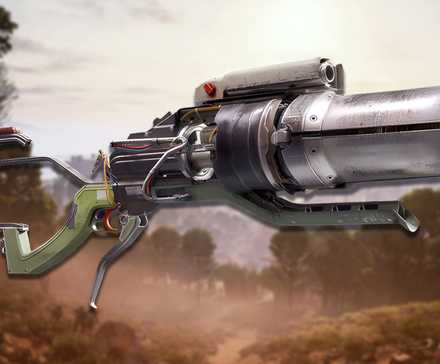
How to Get Dolabra Energy Shotgun in ARC Raiders
Unlock the Dolabra Energy Shotgun in ARC Raiders with our guide. Find out where to locate the blueprint and craft this powerful weapon.
If the issue persists, close all instances of the game and Steam using the Task Manager, then also close all running Easy Anti-Cheat tasks. Go to Add or Remove Programs and then manually reinstall Easy Anti-Cheat from the official page.
How To Fix ARC Raiders Outdated Game Client Error on PC (Epic)

To fix Outdated Game Client Error in the ARC Raiders Epic Games PC version, follow these steps to quickly fix this bug:
- Go to Epic Games Library, then browse for ARC Raiders and click on the (…) icon to select more options.
- Click on Manage, then Verify Files.
- Wait until it runs, then close and reboot your PC.
- Wait until the Epic Games Launcher loads, then try to start up ARC Raiders again.
If the problem persists, try updating NVidia Game Ready Drivers, as there’s currently an issue with ARC Raiders Epic Games Version and outdated drivers, which might also trigger this Outdated Client issue.
How To Fix ARC Raiders Outdated Game Client Error on Xbox

For Xbox Series XIs, this issue is caused when the console is being used during the Client Refresh/Update. To fix the Outdate Game Client Error on Xbox, follow these steps:
- Restart the console.
- Go to Settings, then Network Settings.
- Select Advanced Settings, and then MAC Address.
- Select ‘Clear.’
This should fix the issue. Now restart the Console and try to join the game again.
How To Fix ARC Raiders Outdated Game Client Error on PlayStation

For PlayStation users, the Outdated Game Client Error in ARC Raiders is a persistent plague that can happen as often as once per weekly update, so fixing it for good is a must. Follow the next steps to avoid dealing with it again:
- Highlight ARC Raiders in the PS Dashboard menu
- Select ‘Options,’ then ‘Check for Updates.’
- Wait until the process finishes, then restart your console.
Most of the time, the console needs to be forced to manually update certain games to clear dump files from prior updates. If the problem is not solved, then try uninstalling the game and then reinstalling it from scratch.


ARC Raiders


10/10
- Released
-
October 30, 2025
- ESRB
-
Teen / Violence, Blood, In-Game Purchases, Users Interact