





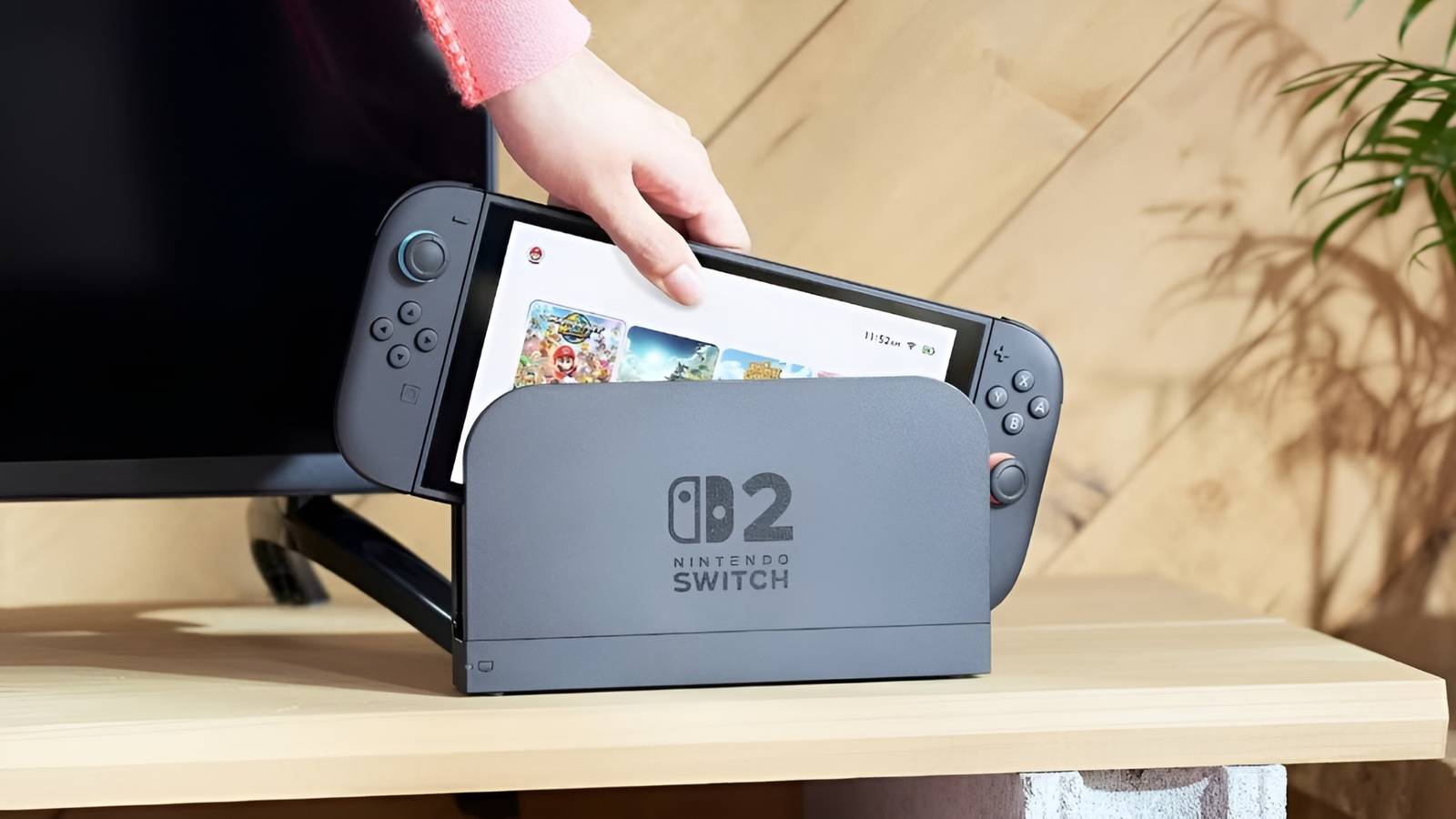
Original Switch games will look a lot better on the Nintendo Switch 2‘s Handheld Mode, thanks to a new feature. While Nintendo’s latest console bears significant resemblance to its predecessor on the outside, it offers a hefty performance upgrade, though whether it takes full advantage of this power is more debatable. Now, a small but meaningful Nintendo Switch 2 change lets players get a little more out of the system.
The Switch 2’s backwards compatibility is not as straightforward as it seems at first. Cartridges from the original Switch fit into the newer one, and many older games can run without problems on the new console. However, the Switch 2 relies on a mix of hardware-level compatibility and software emulation to support OG Switch games, which leaves some games unsupported but opens the door to performance improvements without sacrificing battery life. As Nintendo irons out some remaining compatibility issues, it just released a subtle feature that can noticeably improve the experience of running older games on the Switch 2.
It’s Officially a New Era for the Nintendo Switch 2
With the recent release of Pokemon Pokopia, the official Pokemon on Nintendo Switch 2 era has begun in earnest for fans and players.
Now, Nintendo has released update 22.0.0 for the Switch 2, introducing a slew of changes, including a new feature called Handheld Mode Boost. This setting, which users can find under Nintendo Switch Software Handling in the System menu, makes the Switch 2’s Handheld Mode replicate the Switch 1’s Docked Mode when running compatible Switch 1 games. While the Switch 2 has a 1080p built-in display, Switch 1 games have run at 720p when playing in Handheld Mode up until this point, because the original Switch only had a 720p screen. Handheld Mode Boost overrides this legacy setting to bring Switch 1 games up to 1080p while in Handheld Mode, like a Switch 2 game.
Who’s That Character?

Identify the silhouettes before time runs out.
Identify the silhouettes before time runs out.
Easy (7.5s)Medium (5.0s)Hard (2.5s)Permadeath (2.5s)
It’s worth noting that emulating the Switch 1’s Docked Mode in Handheld Mode may introduce some quirks. Some games may function differently in Docked Mode, potentially limiting or disrupting Handheld Mode gameplay. For example, Pokemon: Let’s Go, Pikachu! and Let’s Go, Eevee! require the use of detached Joy-Cons while in Docked Mode, so playing them with Handheld Mode Boost on Switch 2 could be awkward or force players to use Tabletop Mode. In past instances where Nintendo fixed Switch 2 compatibility for some Switch 1 titles, the company has highlighted similar caveats, with some games requiring Docked Mode to run properly.
While the fix may not be perfect, Handheld Mode Boost is a welcome upgrade. While some Switch 1 games have free Switch 2 upgrades, that’s not the case for all of them, so this feature adds some quality of life improvements when no other enhancements, paid or free, are available. Those who prefer to play in Docked Mode won’t notice a difference, but anyone taking their Switch 2 on the go should appreciate the improved Handheld Mode visuals for older games. It’s a good time in the console’s lifecycle to introduce the feature, too, as Switch 1 exclusives vastly outnumber the Switch 2’s exclusives at this point, so it’s nice to see these older titles getting more support.


Update 22.0.0 brings several other improvements on top of Handheld Mode Boost. Users can now save notes about others on their friend list, it’s now easier to invite others to GameChat sessions, and there’s now more language and text-to-speech support. Those looking to expand the Switch 2’s limited storage capacity have some helpful new functionality, too, as the update introduces the ability to see saved data by file type on both the console’s internal storage and an inserted MicroSD Express card. All in all, it’s a stacked update, so any Switch 2 users should download and install it as soon as they can.
Nintendo Switch 2 Version 22.0.0 Full Patch Notes
- Changed the on-screen text and animations when you load a virtual game card on the HOME Menu.
-
Added the ability to save notes about users on your friend list. Note content will not be visible to friends.
- Also added the ability to view and edit these notes from the Nintendo Switch App. The app must be updated to version 3.3.0 or higher to use this feature.
-
The following features were added to support GameChat:
- Added the ability to invite friends to active GameChat sessions you’re participating in. Some friends may not be able to be invited, including friends using supervised Nintendo Accounts.
-
Friends who haven’t finished the initial GameChat setup process can now be invited to GameChat. Some friends may not be able to be invited, such as those using supervised Nintendo Accounts or those who haven’t used a Nintendo Switch 2 console.
- It may take a while for this change to be reflected after updating your console to system version 22.0.0.
- Improvements were made to the quality of an expanded game screen shared during a GameChat session.
- Added the ability to go back/forwards 10 seconds with the ZL and ZR Buttons when watching a full-screen video in News or on Nintendo eShop.
-
Added the option to add the following file types to upload automatically from the album:
- Trimmed videos, video scenes saved as screenshots and screenshots that have had text added to them
- Added Portuguese (Portugal) and Russian to the GameChat speech to text languages available under Accessibility in System Settings.
-
The text to speech feature, which can be found under Accessibility, can now read aloud text in the album and text that appears during the first-time setup process.
- Please see Nintendo Switch 2 First-Time Setup and Connection for instructions on how to enable text to speech during the first-time setup process.
- Added the ability to see the breakdown of storage capacity by data type for the console’s system memory and an inserted microSD Express card.
- Added the ability to perform an audio test when 5.1 Channel Linear PCM is selected for TV Sound under Audio.
- Changed the “Hong Kong/Taiwan/South Korea” region to “Hong Kong/Taiwan/South Korea/Southeast Asia” under System.
-
Added the Handheld Mode Boost option to Nintendo Switch Software Handling under System.
- Handheld Mode Boost will cause compatible Nintendo Switch software to run as if the console is being played in TV mode. Certain functionality may be affected. Please see the description on the console for more details.
-
The following features were added for flight mode:
- When flight mode is activated, any previously set options for the use of Bluetooth, Wi-Fi and NFC will be reapplied.
- Added the ability to individually enable or disable Bluetooth, Wi-Fi and NFC during flight mode from Quick Settings.
-
Added the ability to receive a notification in the Nintendo Switch Parental Controls smart device application when the Parental Controls PIN is input successfully on the console. You can also choose to receive this as a push notification on your smart device.
- The app must be updated to version 2.4.0 or higher to use this feature.
- General system stability improvements have been made to enhance the user’s experience.