


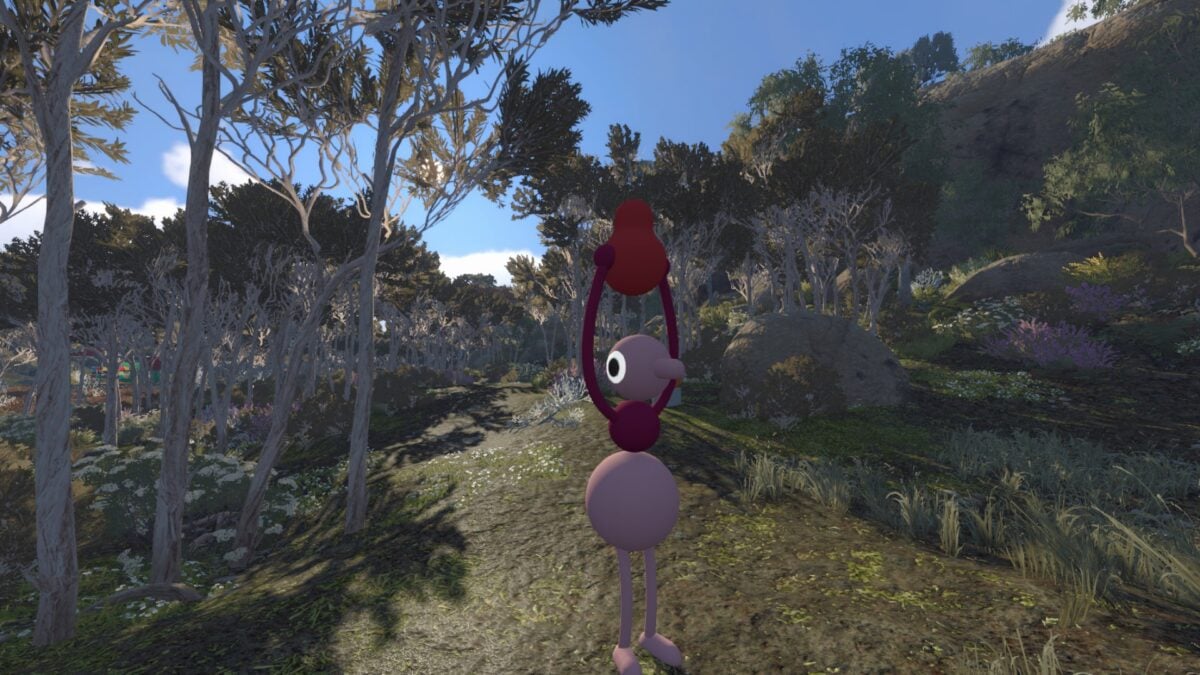




After years of wandering the depths of Planet 4546B alone, players can finally team up with their friends in Subnautica 2. The developers at Unknown Worlds Entertainment designed the new entry in the famed survival franchise with co-op at the forefront following an outcry of player feedback from the previous two games.
However, knowing that Subnautica 2 has co-op is only half the battle, as you also have to know how it works and its limitations. Below, we’ll give you a full rundown of the co-op multiplayer feature in Subnautica 2 so you can hop in with friends right away.
How to play with friends in multiplayer in Subnautica 2
Subnautica 2 has a maximum co-op limit of four players, meaning you and up to three other friends can play in the same party at one time. Fortunately, Subnautica 2 also has full cross-play support, meaning you can play with any friend on PC or Xbox. The game also supports cross-progression if you happen to own two systems and purchase two copies.
From the start screen in Subnautica 2, you can choose to either “Host Multiplayer,” which creates a world that you control, or “Join Friends,” which allows you to join another player’s world from your friends list. This screen also allows you to play through in single-player, as Subnautica 2 can be played from start to finish as a solo player, just like the previous two games.
If you wish to create your own world, you can select “Host Multiplayer.” From here, you either need to add friends through their unique, in-game Friend Code or invite them from your friends list after you’ve added them. At the time of writing, there’s no form of world customization, so creating a co-op world simply means that you’re playing through the normal game in multiplayer rather than solo.
Alternatively, if you want to join another player’s world, you need to add them using your in-game Friend Code. When your request is accepted, you can join a friend’s world from your friends list by clicking on their name and selecting “join.”
As Subnautica 2 progresses through early access, more multiplayer functionality should be added to the game. Even in its current state, though, you can fully play through the game’s story in a party of four players.
How co-op worlds work in Subnautica 2
When it comes to playing in co-op, Subnautica 2 allows a decent amount of freedom for you and your party. A co-op world doesn’t place any restrictions on when players can leave or join the party. Even if the owner of the world has progressed to the midway part of the story, a brand new player in Subnautica 2 can join the world and play along. Of course, that player will miss key elements of the story, but they’ll immediately be caught up with everyone else in the world.
You can choose to only play in co-op with your friends when everyone is online, as well. This ensures that all players get a chance to complete story missions, explore new areas for the first time, and truly play as a team.
Subnautica 2 also allows you to convert a solo world into a co-op one. Your solo world keeps all of your progression, but you can now invite other players to join it with you.
It’s up to you how to set up your first Subnautica 2 saves, but there are some aspects of co-op you want to keep in mind when deciding how to play.
First and foremost, Subnautica 2 features shared inventories in co-op worlds. This means that every storage locker you and your party build in the world can be accessed by all other players. Unknown Worlds Entertainment has stressed that it plans to add non-shared inventories in the future, but at launch, every player has access to all items except the items you’re carrying in your character’s inventory.
Fortunately, the sharing system also applies to some of the tedious parts of Subnautica 2. All Data Entries are shared amongst players, meaning you can learn about crafting recipes after just a single player discovers and scans a new resource, creature, etc.

Speaking of crafting, all craftable recipes in Subnautica 2 are also shared amongst all players on a world. So if you uncover blueprints for a new vehicle or piece of equipment, your friend back at base can then build it if you have the right materials. Vehicles will also be shared among all players, so it might be best to build multiple copies of a single vehicle.
Finally, base building in Subnautica 2 can be collaborative, as your party can come together to build a giant, mega base. However, players can also build their own bases, but as we mentioned before, nothing stored in these bases will be totally private at launch.