





Microsoft has revealed a brand-new collection of system enhancements aimed at improving how players interact with their Xbox consoles. This rollout is part of a larger effort to listen to user feedback and refine the software experience for the modern owner. This latest wave of improvements marks a notable shift in how the platform handles system-level updates and may signal what’s to come under new leadership. The Xbox update is currently beginning its initial rollout to a select group of community members who help test new ideas before they go live for the general public.
Since the launch of the current console generation back in late 2020, the operating system has undergone numerous small changes, but users have consistently pointed out areas that still need more flexibility and depth. Many of the features that define the current platform were built to prioritize speed and convenience, though certain technical quirks and limitations have persisted over the years. These latest adjustments come shortly after a major internal reorganization at Microsoft, which saw new Xbox CEO Asha Sharma recommit to the hardware space despite previous rumors of a shift toward software-only.
Microsoft Is Bringing Its Gaming Copilot AI Assistant to Xbox Consoles
Microsoft confirms that the Gaming Copilot AI assistant, which is currently available on PC and mobile devices, will arrive on Xbox consoles soon.
Personalization and Performance Upgrades

The most talked-about change noted by Xbox involves the Quick Resume technology, a feature that allows players to jump back into several suspended games in just a few seconds without waiting for a full boot cycle. While this feature is generally praised for its incredible speed, always-online titles frequently struggle with it because they often disconnect from live servers when suspended, leading to frustrating errors or long reconnection screens upon return. Players have spent years manually closing these games through the guide menu just to avoid these issues, but the new update finally provides a way to disable the feature for specific titles entirely so they always start fresh. Users can now find a Manage Quick Resume option within the game tile’s menu or through the “Manage game and add-ons” section, ensuring that problematic online games or unoptimized titles always start from a clean state.

Rearrange the covers into the correct US release order.
Rearrange the covers into the correct US release order.
Easy (5)Medium (7)Hard (10)
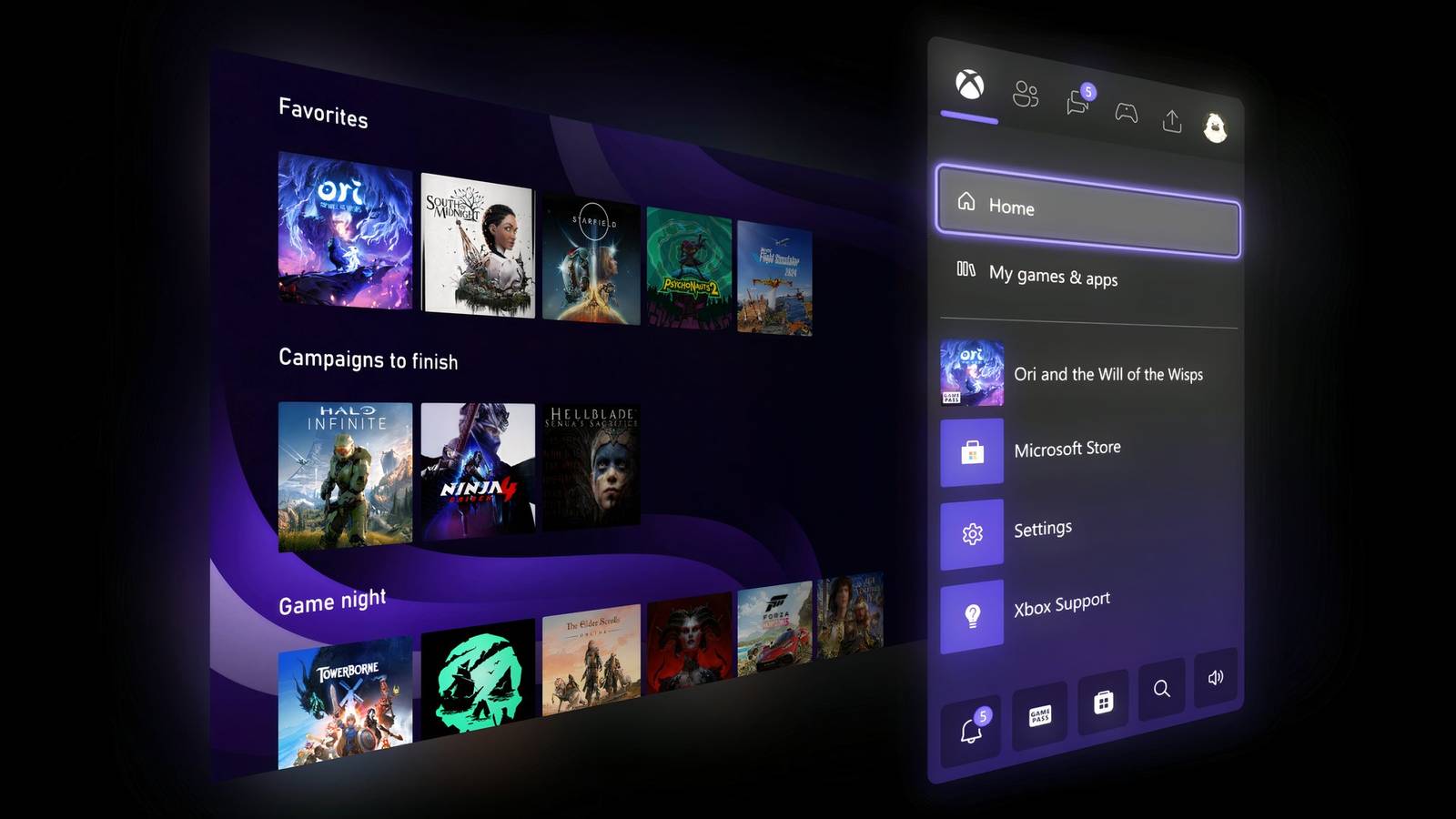
Beyond performance tweaks and technical fixes, the update expands how players can decorate and organize their digital space on the dashboard. For a long time, the home screen only allowed for two custom groups to be displayed, but that limit is now being increased to 10, giving users much more room to categorize their massive libraries into genres, favorites, or backlogs. The process of reordering these groups has also been made much more intuitive to match the standard tile management system players already use for their games. Personalization is being taken a step further with the introduction of a full color spectrum for system accents, by finally moving away from the limited palette provided at launch. Instead of being forced to pick from a small handful of pre-set colors, players can now use a slider system to find the exact hue, saturation, and shade they want for their profile and guide. This “uniquely yours” approach even allows for a subtle splash of the custom color to appear in the guide menu, which can be toggled on or off depending on the player’s preference.
Social features and achievement tracking are also getting a small but meaningful tweak through the integration of profile badges directly into the system guide. These badges serve as digital trophies for various Xbox milestones, such as being an early adopter of the platform, hitting certain years of membership, or reaching specific community goals. The guide will now display the five most recently earned badges whenever a user looks at their own profile or a friend’s profile, making these achievements much more visible during normal navigation rather than burying them in several sub-menus. This feature, along with the other updates, is currently being tested by members of the Insider program in a beta phase, with a broader release expected for the public around April 2026 once the testing period concludes.

This update is arriving at a pivotal time for Microsoft as it looks toward the future of its hardware ecosystem and attempts to win back the trust of its core audience. Alongside these software refinements, there is renewed speculation about Project Helix, rumored to be the next major step in Microsoft’s console hardware strategy and a potential successor or mid-gen refresh to the current lineup. This shift in focus also coincides with the apparent end of the “This is an Xbox” marketing campaign, which was met with mixed reviews and some confusion from the community. By focusing on tangible system improvements and more robust hardware plans, the division appears to be attempting to re-establish its identity as a leader in the console space. As these features move through the Insider testing phases, it is clear that community feedback is playing a larger role than ever in shaping the platform’s direction and the company’s efforts to recommit to the physical hardware market.