


Close Menu
Best in Gaming
  • Home
  • News
  • PC Games
  • PlayStation
  • Xbox
  • Nintendo
  • Mobile
  • Editor’s Picks
  • Press Release
What's On
Pokemon Fan Art Imagines Final Evolutions for Gen 10 Starters

Pokemon Fan Art Imagines Final Evolutions for Gen 10 Starters

2 March 2026
These Are the Highest-Paying Sims 4 Careers As of March 2026

These Are the Highest-Paying Sims 4 Careers As of March 2026

1 March 2026
Sims 3 Fan Finds Katy Perry Expansion Pack CD, But There’s a Problem

Sims 3 Fan Finds Katy Perry Expansion Pack CD, But There’s a Problem

1 March 2026
Pokemon Winds and Waves’ Underwater Routes May Be a Double-Edged Sword

Pokemon Winds and Waves’ Underwater Routes May Be a Double-Edged Sword

1 March 2026
Battlefield 6 Reveals Patch Notes for March 3 Update

Battlefield 6 Reveals Patch Notes for March 3 Update

1 March 2026
Facebook X (Twitter) Instagram
Best in Gaming
  • Home
  • News
  • PC Games
  • PlayStation
  • Xbox
  • Nintendo
  • Mobile
  • Editor’s Picks
  • Press Release
Best in Gaming
Home » Heartopia: How to Play With Friends
Mobile

Heartopia: How to Play With Friends

News RoomBy News Room10 January 20263 Mins Read
Facebook Twitter Pinterest LinkedIn Tumblr Email
Heartopia: How to Play With Friends

Players will become acquainted with various villagers in Heartopia. While it’s lovely to be able to talk to the townsfolk, players might want to add their real-life friends and have a play session in-game.

How to Unlock Home Plots in Heartopia

Players can expand their property in Heartopia by unlocking home plots – here’s how it’s done.

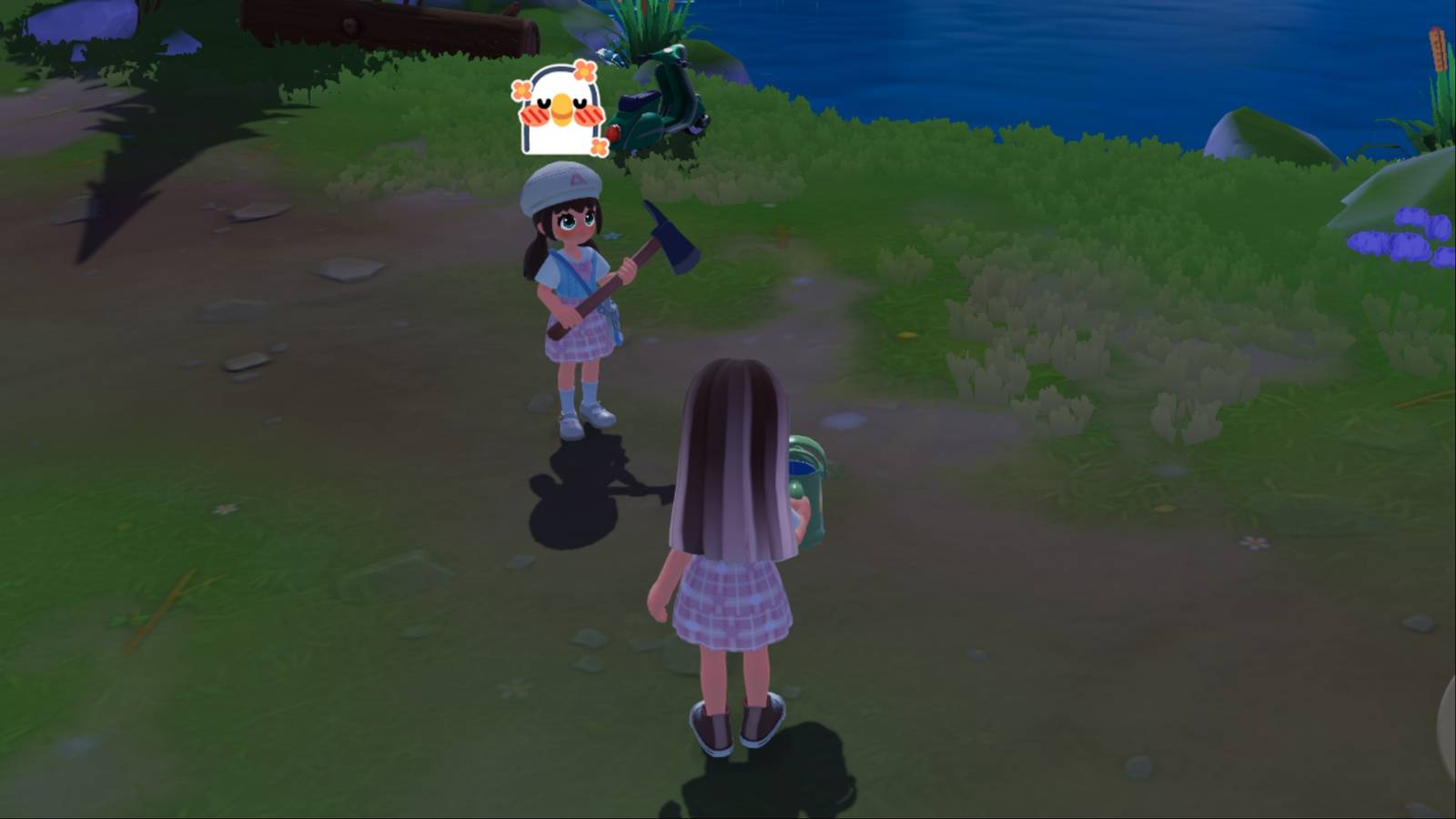
It’s a hoot to play Heartopia on call with a friend or even right beside them, so it’s important that players understand the steps that they need to take in order to initiate a multiplayer session. This guide will show players how they can add friends in Heartopia, how to start a play session with them, and even how to become best friends.

How to Add Friends in Heartopia

To add a friend in Heartopia, players need their D.G. Member UID, which is a code that directly links to their profile. Gamers can find their D.G. Member UID in the bottom left corner of their screen or by opening the Smartwatch and selecting their portrait.

Once players have their friend’s D.G. Member UID, they must open the Friendship Journal app on their phone, select the magnifying glass symbol on the bottom left, and type in the code.

How to Become Best Friends in Heartopia

heartopia playing with a friend

When players use 2-person interactions with a friend, they will receive Friendship Marks. The more marks they accumulate, the higher their Friendship Level. At some point, the two players will reach a status of Best Friends.

heartopia friendship store

Players should visit Annie in the Central Square and get some items from her Friendshop Store so they can start leveling up their friendships in Heartopia.

How to Play with Friends in Heartopia

Once the player has added their friend in Heartopia, they will find them in the Friendship Notebook’s friends tab. To start a multiplayer session in Heartopia, gamers have to select a friend who is online and then click on Visit. This puts them in the same public server as their friend, meaning they will see 10 other players in the neighborhood.

They can speak by using the Chat tool in the bottom left corner, and they can use emoticons and emote by selecting the smiley face on the right part of the screen.

heartopia my town

Alternatively, instead of visiting a friend, players can create their own town or join a friend’s. From the title screen, gamers can select the windmill symbol to access the Town menu. When players create a town in Heartopia, they’re given a private server, which can be available for 1 to 24 hours.

To maintain a private town, players must pay 5 Moonlight Crystals per hour. After the first 24 hours, it will cost Heart Diamonds instead. This timer resets on a weekly basis.



Heartopia Tag Page Cover Art

Systems

PC-1

phone transparent


Released

January 8, 2026

Developer(s)

XD

Publisher(s)

XD

Number of Players

Single-player

Steam Deck Compatibility

Unknown


Share. Facebook Twitter Pinterest LinkedIn Tumblr Email

Related News

The Seven Deadly Sins: Grand Cross Codes (March 2026)

The Seven Deadly Sins: Grand Cross Codes (March 2026)

1 March 2026
Fortnite Teases New POI for Chapter 7 Season 2

Fortnite Teases New POI for Chapter 7 Season 2

1 March 2026
Dead by Daylight: Best Nemesis Builds (2026)

Dead by Daylight: Best Nemesis Builds (2026)

1 March 2026
Stardew Valley’s 1.7 Update Finally Gives Its Most Pointless Character a Purpose

Stardew Valley’s 1.7 Update Finally Gives Its Most Pointless Character a Purpose

1 March 2026
Editors Picks
These Are the Highest-Paying Sims 4 Careers As of March 2026

These Are the Highest-Paying Sims 4 Careers As of March 2026

1 March 2026
Sims 3 Fan Finds Katy Perry Expansion Pack CD, But There’s a Problem

Sims 3 Fan Finds Katy Perry Expansion Pack CD, But There’s a Problem

1 March 2026
Pokemon Winds and Waves’ Underwater Routes May Be a Double-Edged Sword

Pokemon Winds and Waves’ Underwater Routes May Be a Double-Edged Sword

1 March 2026
Battlefield 6 Reveals Patch Notes for March 3 Update

Battlefield 6 Reveals Patch Notes for March 3 Update

1 March 2026
Top Articles
Fans Speculate a Krato-less God of War Spin-Off is in the Works News

Fans Speculate a Krato-less God of War Spin-Off is in the Works

By News Room
A Third Golden Era For Overwatch’s Mercy Mains Could Soon Be Upon Us PC Games

A Third Golden Era For Overwatch’s Mercy Mains Could Soon Be Upon Us

By News Room
California Law Requires All Operating Systems to Have Age Verification News

California Law Requires All Operating Systems to Have Age Verification

By News Room
Best in Gaming
Facebook X (Twitter) Instagram Pinterest Vimeo YouTube
  • Privacy Policy
  • Terms of use
  • Advertise
  • Contact Us
© 2026 Best in Gaming. All Rights Reserved.

Type above and press Enter to search. Press Esc to cancel.