



Close Menu
Best in Gaming
  • Home
  • News
  • PC Games
  • PlayStation
  • Xbox
  • Nintendo
  • Mobile
  • Editor’s Picks
  • Press Release
What's On
8 Amazing Indie Games We Think You Should Go Play

8 Amazing Indie Games We Think You Should Go Play

20 November 2026
What Can’t You Do In GTA 6?

What Can’t You Do In GTA 6?

20 November 2026
So Is The 0 GTA 6 Ultimate Edition Actually Worth It?

So Is The $100 GTA 6 Ultimate Edition Actually Worth It?

20 November 2026
GTA 6 Players Captivated By Mandy Apparently Include A Former Nintendo President

GTA 6 Players Captivated By Mandy Apparently Include A Former Nintendo President

20 November 2026
Here Are Some Super Useful Control Shortcuts GTA 6 Doesn’t Tell You About

Here Are Some Super Useful Control Shortcuts GTA 6 Doesn’t Tell You About

20 November 2026
Facebook X (Twitter) Instagram
Best in Gaming
  • Home
  • News
  • PC Games
  • PlayStation
  • Xbox
  • Nintendo
  • Mobile
  • Editor’s Picks
  • Press Release
Best in Gaming
Home » Here Are Some Super Useful Control Shortcuts GTA 6 Doesn’t Tell You About
News

Here Are Some Super Useful Control Shortcuts GTA 6 Doesn’t Tell You About

News RoomBy News Room20 November 20263 Mins Read
Facebook Twitter Pinterest LinkedIn Tumblr Email
Here Are Some Super Useful Control Shortcuts GTA 6 Doesn’t Tell You About

I’ve played over 150 hours of Grand Theft Auto 6. You might think I’ve seen it all, and that I know everything there is to know about the game. Nope! I’m still discovering new mechanics, features, and open-world moments after all this time. This includes some very handy control shortcuts I recently learned about that will make your life in Vice City a little easier.

How to quickly turn on the radio and cycle headlights while driving

First off, let’s start with the whole reason I wanted to write this blog. Did you know that you can quickly toggle your car radio on and off without having to enter a submenu? All you have to do is double-tap left on the D-pad, and Jason or Lucia will turn the radio on or off.

I had no idea you could do this until I saw people sharing it on Reddit. The game doesn’t explain this shortcut, as far as I can tell. I couldn’t even find it mentioned in the in-game help menu, which does include lots of other nifty tips and tricks.

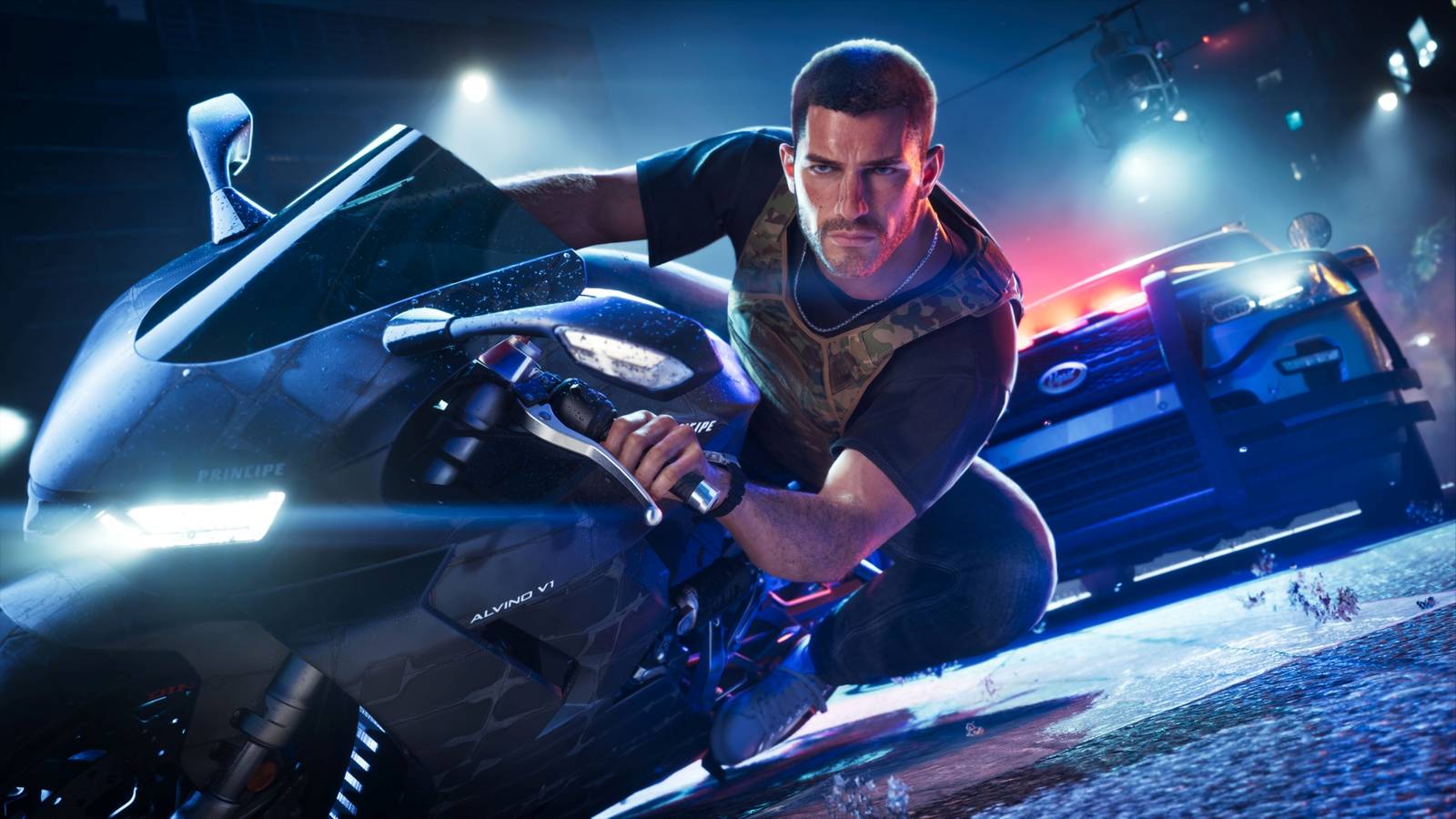
Here’s another trick I just learned about: You can double-tap the circle/B button while in a car to cycle the headlights between off, high beams, and low beams.

I thought you had to hold left on the D-pad to open up the vehicle submenu to turn off the headlights, but nope! And again, this isn’t mentioned in the help menu and if a prompt appeared during the normal course of the game to explain this, I and many others must have missed it.

©Rockstar Games / Kotaku

How to yell at drivers and exit vehicles without turning off the engine

Here’s another useful thing you can do inside cars: If you double-tap the triangle/Y button while driving, you’ll exit the vehicle without turning off the engine or radio.

GTA 6‘s help menu does call this out and mentions you can do this at speed to have your car drive into something while you roll out the side to safely. But again, I can’t remember a single time when the game forced me to do this or taught me that it was possible. I learned from a random post online. I guess I should have dug through the help menu more, but come on, who is doing that in Grand Theft Auto?

Another feature mentioned in the help menu that I just learned about is the ability to click the right stick in and yell at nearby drivers. Rockstar refers to this as the road rage button, and it’s a good thing to have in a game where NPC drivers, inspired by real Floridian drivers, suck shit and drive like maniacs.

One more useful control trick: You can double-tap the triangle/Y button while driving a boat to get up and walk around the deck while the boat keeps on cruising.

The next time I boot up GTA 6, I’m going to start double-tapping random buttons during different parts of the game to see what other hidden shortcuts and control options Rockstar has buried in this massive game. And if you want some more useful hidden features, check out this blog about how to flip cars and sit anywhere you want in GTA 6. 
Share. Facebook Twitter Pinterest LinkedIn Tumblr Email

Related News

8 Amazing Indie Games We Think You Should Go Play

8 Amazing Indie Games We Think You Should Go Play

20 November 2026
So Is The 0 GTA 6 Ultimate Edition Actually Worth It?

So Is The $100 GTA 6 Ultimate Edition Actually Worth It?

20 November 2026
GTA 6 Players Captivated By Mandy Apparently Include A Former Nintendo President

GTA 6 Players Captivated By Mandy Apparently Include A Former Nintendo President

20 November 2026
Grand Theft Auto 6 Won’t Lead to Real Life Crimes, But Police Don’t Know That

Grand Theft Auto 6 Won’t Lead to Real Life Crimes, But Police Don’t Know That

20 November 2026
Editors Picks
What Can’t You Do In GTA 6?

What Can’t You Do In GTA 6?

20 November 2026
So Is The 0 GTA 6 Ultimate Edition Actually Worth It?

So Is The $100 GTA 6 Ultimate Edition Actually Worth It?

20 November 2026
GTA 6 Players Captivated By Mandy Apparently Include A Former Nintendo President

GTA 6 Players Captivated By Mandy Apparently Include A Former Nintendo President

20 November 2026
Here Are Some Super Useful Control Shortcuts GTA 6 Doesn’t Tell You About

Here Are Some Super Useful Control Shortcuts GTA 6 Doesn’t Tell You About

20 November 2026
Top Articles
Grand Theft Auto 6 Won’t Lead to Real Life Crimes, But Police Don’t Know That News

Grand Theft Auto 6 Won’t Lead to Real Life Crimes, But Police Don’t Know That

By News Room
How To Solve All Main Puzzles In GTA 6’s Tenebrae Lux News

How To Solve All Main Puzzles In GTA 6’s Tenebrae Lux

By News Room
Grand Theft Auto 6 is Being Review Bombed News

Grand Theft Auto 6 is Being Review Bombed

By News Room
Best in Gaming
Facebook X (Twitter) Instagram Pinterest Vimeo YouTube
  • Privacy Policy
  • Terms of use
  • Advertise
  • Contact Us
© 2026 Best in Gaming. All Rights Reserved.

Type above and press Enter to search. Press Esc to cancel.