

Close Menu
Best in Gaming
  • Home
  • News
  • PC Games
  • PlayStation
  • Xbox
  • Nintendo
  • Mobile
  • Editor’s Picks
  • Press Release
What's On
Marathon’s New Cryo Archive Is a Hit With Players, and Bungie Wants More Feedback

Marathon’s New Cryo Archive Is a Hit With Players, and Bungie Wants More Feedback

23 March 2026
Sons of Sparta Is Officially a Hit

Sons of Sparta Is Officially a Hit

23 March 2026
Diablo 4’s Most Thematically Appropriate Unique is Virtually Worthless in Season 12

Diablo 4’s Most Thematically Appropriate Unique is Virtually Worthless in Season 12

23 March 2026
Cookie Run Franchise Announces New 3D Open-World Game

Cookie Run Franchise Announces New 3D Open-World Game

22 March 2026
The 86 Metacritic Game That’s the Perfect Alternative to Pokemon Pokopia If You Don’t Have a Switch 2

The 86 Metacritic Game That’s the Perfect Alternative to Pokemon Pokopia If You Don’t Have a Switch 2

22 March 2026
Facebook X (Twitter) Instagram
Best in Gaming
  • Home
  • News
  • PC Games
  • PlayStation
  • Xbox
  • Nintendo
  • Mobile
  • Editor’s Picks
  • Press Release
Best in Gaming
Home » How to Force Save The Sims 4
Mobile

How to Force Save The Sims 4

News RoomBy News Room27 December 20253 Mins Read
Facebook Twitter Pinterest LinkedIn Tumblr Email
How to Force Save The Sims 4

The Sims 4 has been around for over a decade, and it’s received hundreds of updates and patches over the years. However, it has also received dozens of gygabites worth of DLC packs, which may cause errors and crash the game. On top of this, it is a game that is usually heavily modded by its players, which could have the same result.

How to Set Up Memory Boost in The Sims 4

The Sims 4 PC players can now optimize their game with the memory boost feature – here’s how to enable it.

Most players will have to deal with their game crashing or freezing sooner or later. Since The Sims 4 does not have an auto-save feature, players will find themselves worrying for all of the progress that they might have made, especially if it was a lengthy session.

How to Save When The Sims 4 Freezes

the sims 4 force save

Almost every Sims players has experienced a loading screen or loading wheel that makes them question how long it’s been since they last saved their game. Sometimes the game will end up loading, and they can quickly open the menu and save. However, most of the time, the game will either crash or freeze indefinitely.

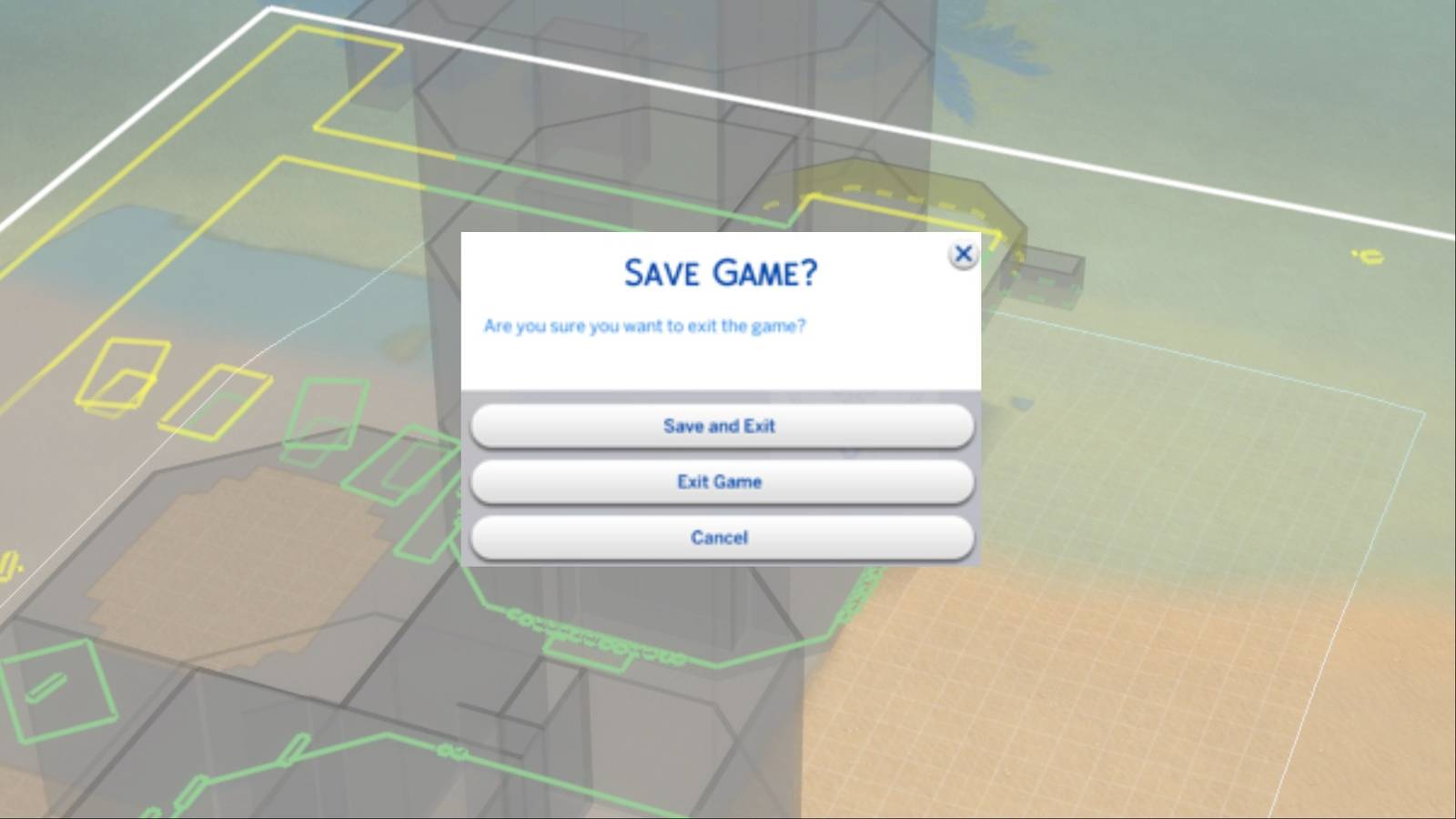
Many players aren’t aware of this, but they can actually save the game when it freezes. To save The Sims 4 while its stuck, players have to press Alt + F4. This forces the game to quit, bringing up the Save menu to ask players if they want to save before exiting. Some players may be unable to open this menu simply by pressing Alt + F4, in that case they should also hold down Fn.

Alternatively, players can also force the Save menu to appear by right clicking on The Sims 4 icon on the taskbar and pressing Close Window.

How to Prevent Freezing and Crashing in The Sims 4

the sims 4 repair game

Ideally, gamers wouldn’t have to deal with any freezing or crashing when playing The Sims 4. Thankfully, there are some ways to prevent it from happening so frequently. There are various reasons why The Sims 4 could be having issues and freezing; here is what could be causing this issue and how to avoid it:

  • Corrupt game files: It is possible that some of the game files could be corrupt, due to being moved or a recent update. To solve this issue, players have to open the EA App, select The Sims 4, click Manage and then Repair. This will go over the base game and expansion packs files and repair them one by one.
  • Corrupted cache data: The Sims 4 stores some information in the cache so it is able to load faster. Updating and changing mods could corrupt it. Players should delete their Sims 4 cache every now and then to prevent this from happening. They can delete their Sims 4 cache by opening the Electronic Arts tab on their computer, entering the The Sims 4 tab, and then deleting a file called “localthumbcache.package“.
  • Outdated or corrupted mod files: Players should update their mods whenever there is a new patch for The Sims 4. Not doing so could lead to issues with the game.


The Sims 4 Tag Page Cover Art


Released

September 2, 2014

ESRB

T for Teen: Crude Humor, Sexual Themes, Violence

Publisher(s)

Electronic Arts


Share. Facebook Twitter Pinterest LinkedIn Tumblr Email

Related News

Cookie Run Franchise Announces New 3D Open-World Game

Cookie Run Franchise Announces New 3D Open-World Game

22 March 2026
Minecraft Fan Shares Impressive Biome Concept Inspired By New Game Drop

Minecraft Fan Shares Impressive Biome Concept Inspired By New Game Drop

22 March 2026
Some Fortnite Players Want the Option to Disable Certain Skins

Some Fortnite Players Want the Option to Disable Certain Skins

22 March 2026
Fortnite: Chapter 7 Season 1 End Date & Chapter 7 Season 2 Start Date

Fortnite: Chapter 7 Season 1 End Date & Chapter 7 Season 2 Start Date

16 March 2026
Editors Picks
Sons of Sparta Is Officially a Hit

Sons of Sparta Is Officially a Hit

23 March 2026
Diablo 4’s Most Thematically Appropriate Unique is Virtually Worthless in Season 12

Diablo 4’s Most Thematically Appropriate Unique is Virtually Worthless in Season 12

23 March 2026
Cookie Run Franchise Announces New 3D Open-World Game

Cookie Run Franchise Announces New 3D Open-World Game

22 March 2026
The 86 Metacritic Game That’s the Perfect Alternative to Pokemon Pokopia If You Don’t Have a Switch 2

The 86 Metacritic Game That’s the Perfect Alternative to Pokemon Pokopia If You Don’t Have a Switch 2

22 March 2026
Top Articles
You Can’t Fully Beat Pokemon FireRed and LeafGreen Because of Your Trainer Card Nintendo

You Can’t Fully Beat Pokemon FireRed and LeafGreen Because of Your Trainer Card

By News Room
Potential Witcher 3 2026 DLC Hint Dropped by CDPR PlayStation

Potential Witcher 3 2026 DLC Hint Dropped by CDPR

By News Room
Fortnite Leak Teases New Game Mode Nintendo

Fortnite Leak Teases New Game Mode

By News Room
Best in Gaming
Facebook X (Twitter) Instagram Pinterest Vimeo YouTube
  • Privacy Policy
  • Terms of use
  • Advertise
  • Contact Us
© 2026 Best in Gaming. All Rights Reserved.

Type above and press Enter to search. Press Esc to cancel.