
Close Menu
Best in Gaming
  • Home
  • News
  • PC Games
  • PlayStation
  • Xbox
  • Nintendo
  • Mobile
  • Editor’s Picks
  • Press Release
What's On
Abiotic Factor Just Got a Big New Update

Abiotic Factor Just Got a Big New Update

6 May 2026
The Arkham Sandbox Is Back

The Arkham Sandbox Is Back

6 May 2026
All The Best Star Wars Gaming Deals Available This Week

All The Best Star Wars Gaming Deals Available This Week

6 May 2026
The Guy From The Big Short Just Ditched All His GameStop Stock

The Guy From The Big Short Just Ditched All His GameStop Stock

6 May 2026
Minecraft Player Builds Incredible Castle in the Game

Minecraft Player Builds Incredible Castle in the Game

6 May 2026
Facebook X (Twitter) Instagram
Best in Gaming
  • Home
  • News
  • PC Games
  • PlayStation
  • Xbox
  • Nintendo
  • Mobile
  • Editor’s Picks
  • Press Release
Best in Gaming
Home » Pokemon Champions: How to Get Eternal Flower Floette & Mega Stone
Nintendo

Pokemon Champions: How to Get Eternal Flower Floette & Mega Stone

News RoomBy News Room11 April 20263 Mins Read
Facebook Twitter Pinterest LinkedIn Tumblr Email
Pokemon Champions: How to Get Eternal Flower Floette & Mega Stone

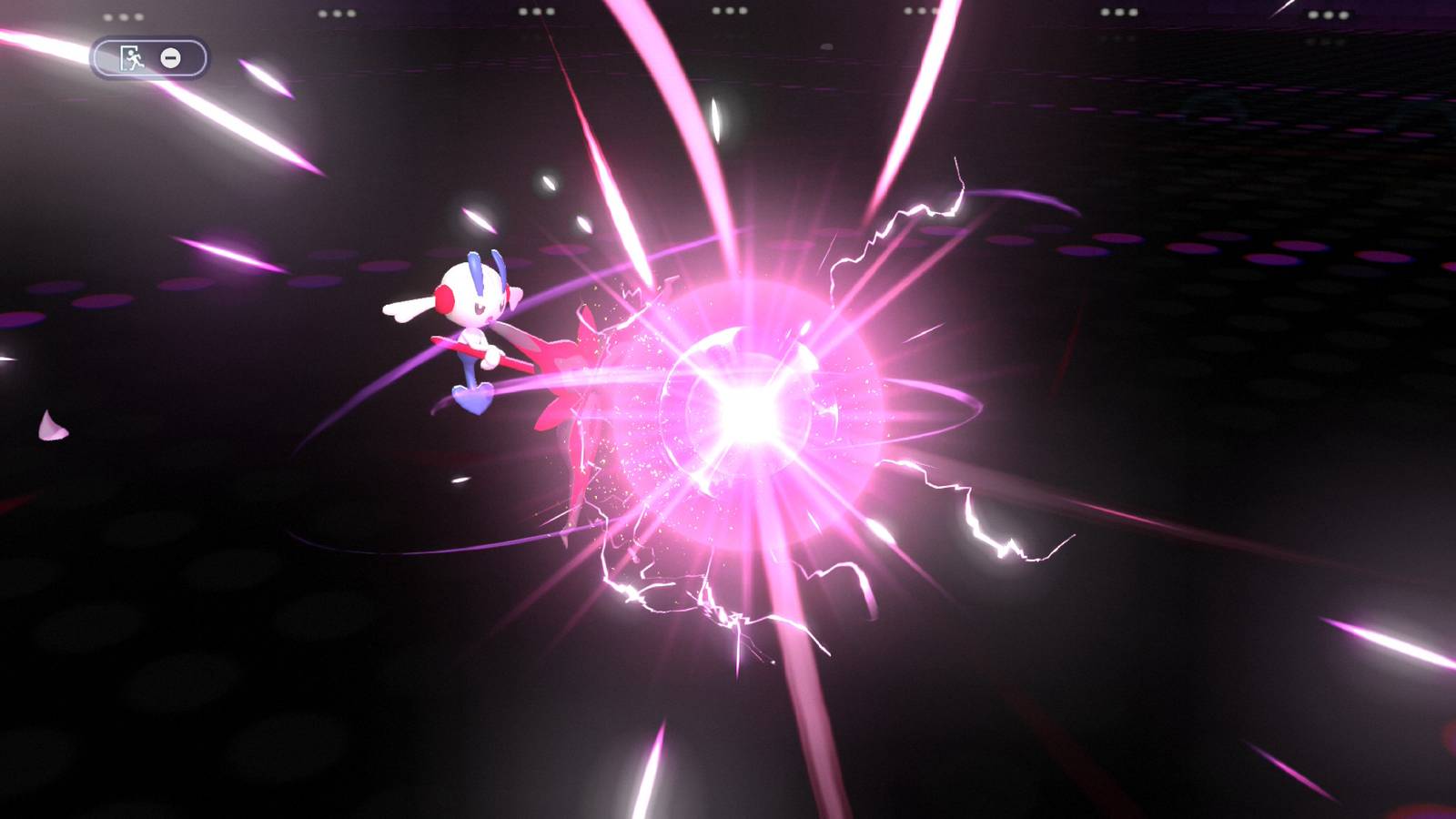
Eternal Flower Floette has been one of the most anticipated and coveted Pokemon ever since its debut in Pokemon X & Y, and it took over a decade for players to be able to have this singular Pokemon in their teams. Now, Pokemon Champions allows players to include this powerful Fairy-type in their teams, and this guide will tell you how you can have yours.

Start by loading your Pokemon Legends Z-A game. You must have finished the Main Story Mission 37, and finish it to recruit AZ’s Eternal Flower Floette. Once this singular Pokemon is in your boxes, make sure it’s leveled up to 100 before transferring it to Pokemon Champions.

How to Get & Use Mega Stones in Pokemon Champions

Everything you need to know about Mega Evolution in Pokemon Champions.

How to Get Eternal Flower Floette & Floettite in Pokemon Champions

Next, go to Pokemon Home, and begin the process of transferring Eternal Flower Floette to your boxes, then save the changes and go back to the Main Menu. Pick the bottom right option to begin sending Pokemon to Pokemon Champions. With Eternal Flower Floette deposited on Pokemon Home select this Pokemon pressing ¨(A) until you see a yellow tick mark.

Next, press ‘Send on a Visit’ to send it to Pokemon Champions. This creates a ‘copy’ of Eternal Flower Floette with the same original ID, then puts the original from Pokemon Legends Z-A on an ‘escrow’, keeping it safe for when players want to ‘Return it to Pokemon Home.’

This prevents data loss and also keeps them away from alterations from game to game. A mechanism created to prevent Genning and other unlawful duping of the Pokemon.

Now, log in to Pokémon Champions, then go to the Recruitment Ranch. Once there, select.’ Collect from Pokemon HOME.’ Once the menu opens, select Collect from Pokemon HOME again to confirm. This will send Eternal Flower Floette into your party, and players will also receive Floettite as a reward.

Next, they need to go to their Mailbox to collect the Floettite Mega Stone, so that they can mega evolve Floette into Mega Floette. If you want to maximize Floette’s potential, try to have the following moveset: Calm Mind, Light of Ruin, Draining Kiss, and Gigadrain. For EVs, go with Sp. Atk 32/ Speed 32/ HP 2, with a Modest Nature. And, of course, equip it with the Floettite to mega evolve it during battles.


Pokemon Champions Tag Page Cover Art

Pokemon Champions

Systems

super greyscale 8-bit logo

phone transparent


Released

April 8, 2026

ESRB

Everyone / Mild Fantasy Violence

Publisher(s)

Nintendo

Multiplayer

Online Multiplayer

Cross-Platform Play

Full

  • gamestore logo

  • eshop


Share. Facebook Twitter Pinterest LinkedIn Tumblr Email

Related News

Donkey Kong Bananza’s Next DLC Event is Right Around the Corner

Donkey Kong Bananza’s Next DLC Event is Right Around the Corner

5 May 2026
Nintendo Fan Creates Custom Switch Dock Cover Inspired By Tomodachi Life: Living the Dream

Nintendo Fan Creates Custom Switch Dock Cover Inspired By Tomodachi Life: Living the Dream

5 May 2026
Nintendo Announces Switch 2 Pokemon Pokopia Bundle, But There’s a Catch

Nintendo Announces Switch 2 Pokemon Pokopia Bundle, But There’s a Catch

5 May 2026
Pokemon Fan Creates Alternate Mega Starmie Design

Pokemon Fan Creates Alternate Mega Starmie Design

4 May 2026
Editors Picks
The Arkham Sandbox Is Back

The Arkham Sandbox Is Back

6 May 2026
All The Best Star Wars Gaming Deals Available This Week

All The Best Star Wars Gaming Deals Available This Week

6 May 2026
The Guy From The Big Short Just Ditched All His GameStop Stock

The Guy From The Big Short Just Ditched All His GameStop Stock

6 May 2026
Minecraft Player Builds Incredible Castle in the Game

Minecraft Player Builds Incredible Castle in the Game

6 May 2026
Top Articles
NTE Fan Shows Off Mint Cosplay PC Games

NTE Fan Shows Off Mint Cosplay

By News Room
Pokemon GO Player Hits Level 43 By Barely “Playing” The Game Mobile

Pokemon GO Player Hits Level 43 By Barely “Playing” The Game

By News Room
Diablo 4's Cow Level Found At Last, And It Rewards The Most Ludicrous Item In Diablo History News

Diablo 4's Cow Level Found At Last, And It Rewards The Most Ludicrous Item In Diablo History

By News Room
Best in Gaming
Facebook X (Twitter) Instagram Pinterest Vimeo YouTube
  • Privacy Policy
  • Terms of use
  • Advertise
  • Contact Us
© 2026 Best in Gaming. All Rights Reserved.

Type above and press Enter to search. Press Esc to cancel.